Pages

19.11.10

jquery detecting checkbox status, checked or not, true or false

when html checkbox is checked, element "checked" will be added to it, and when its unchecked this element will be removed. so to know whether its cheked or not we need to know whether it has the element checked or no.

and to find this out:


<script type="text/javascript" src="http://ajax.googleapis.com/ajax/libs/jquery/1.4/jquery.min.js"></script>
<script>
$(function()
alert($("#test").attr("checked"));
});
</script>
<input type="checkbox" id="test" />

this code will either show us true or false, we can use if statement like that:


<script type="text/javascript" src="http://ajax.googleapis.com/ajax/libs/jquery/1.4/jquery.min.js"></script>
<script>
(function() {
if($("#test").attr("checked")) {
alert("its checked");
} else {
alert("its not checked");
}
});
</script>
<input type="checkbox" id="test" />

if you have any question, comment.

16.11.10

simple bbcode wysiwyg


sample usage:

<form onsubmit="doCheck();"> <!--THIS IS IMPORTANT-->
 <div class="richeditor">
  <div class="editbar">
   <button title="bold" onclick="doClick('bold');" type="button"><b>B</b></button>
   <button title="italic" onclick="doClick('italic');" type="button"><i>I</i></button>
   <button title="underline" onclick="doClick('underline');" type="button"><u>U</u></button>
   <button title="hyperlink" onclick="doLink();" type="button" style="background-image:url('images/url.gif');"></button>
   <button title="image" onclick="doImage();" type="button" style="background-image:url('images/img.gif');"></button>
   <button title="list" onclick="doClick('InsertUnorderedList');" type="button" style="background-image:url('images/icon_list.gif');"></button>
   <button title="color" onclick="showColorGrid2('none')" type="button" style="background-image:url('images/colors.gif');"></button><span id="colorpicker201" class="colorpicker201"></span>
   <button title="quote" onclick="doQuote();" type="button" style="background-image:url('images/icon_quote.png');"></button>
   <button title="youtube" onclick="InsertYoutube();" type="button" style="background-image:url('images/icon_youtube.gif');"></button>
   <button title="switch to source" type="button" onclick="javascript:SwitchEditor()" style="background-image:url('images/icon_html.gif');"></button>
  </div>
  <textarea id="tbMsg" style="height:150px;width:100%;"></textarea>
 </div>
 <script type="text/javascript">
  initEditor("tbMsg", true);
 </script>
 </div>
 <input type="submit" onclick="doCheck();" />
</form>

DOWNLOAD

14.11.10

5 jquery sliders with great animations

rtlfinding jquery plugins sometimes takes from you a very long time, so I decided to search for the best plugins and write about them in one post. And I will start with sliders.

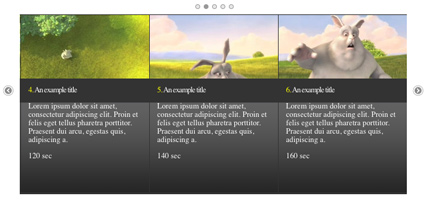
#1 jqFancyTransitions
 
DEMO | DOWNLOAD | TUTORIAL

#2 slideViewer

DEMO | DOWNLOAD | TUTORIAL

#3 jQuery Tools Scrollable

DEMO | DOWNLOAD | TUTORIAL

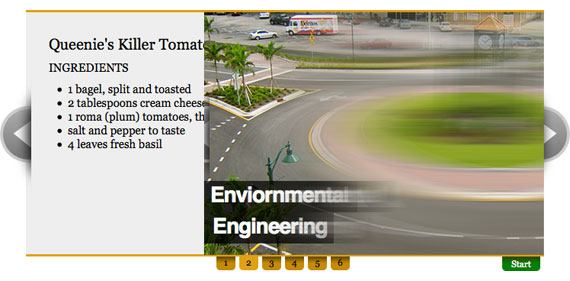
#4 AnythingSlider jQuery Plugin


DEMO | DOWNLOAD | TUTORIAL

#5 Start/Stop Slider

DEMO | DOWNLOAD | TUTORIAL

4.11.10

jquery logo fadeIn & fadeOut

DEMO
code:
<script>
$(function() {
	$("#ui").hide();
	$("#jq").mouseover(function() {
		$(this).hide();
		$("#ui").fadeIn();
	});
	$("#ui").mouseout(function() {
		$(this).hide();
		$("#jq").fadeIn();
	});
});
</script>
<img src="http://static.jquery.com/files/rocker/images/logo_jquery_215x53.gif" id="jq" />
<img src="http://jqueryui.com/images/logo.gif" id="ui" />

code explanation:
we have to images
first one has the id: jq, second: ui
we hided ui be default, when the mouse comes over jq, jq will be hidden on ui will fadeIn, when the mouse leaves ui, ui will hide and jq will fadeIn.

11.6.10

simple javascript redirect code

you can add this code anywhere in your pages
<script type="text/javascript">
setTimeout("location.href = 'http://jstoolz.blogspot.com';",1000);
</script>
change 1000 to the time of duration, and change our site url to the link that you want to redirect your visitor to

javascript, redirection, href, redirect, js

10.6.10

simple jquery slide toggle

if you don't have jquery, you have to download it from www.jquery.com if you wish to apply this short tutorial.
after download jquery simple include it in your page's head tag
<script src="jquery.js" type="text/javascript"></script>
now create any html element, I will create simple div
<div id="our_div" style="background:yellow;border:1px dotted black;">our div's content comes here</div>
and now I will create a link to hide and show "toggle" this div
<script>
$(document).ready(function() {
$("#toggle_link").click(function() {
$("#our_div").slideToggle();
});
});
</script>
<a style="cursor:pointer;" id="toggle_link">toggle my div</a>

example:
our div's content comes here

toggle my div

9.6.10

jstoolz is online

If you are a web developer, and you want your scripts,sites to look awesome, then follow us through google reader (or any other rss feed reader).
to receive the latest news about awesome javascript effects & tricks that you can use in your works

Best Regards